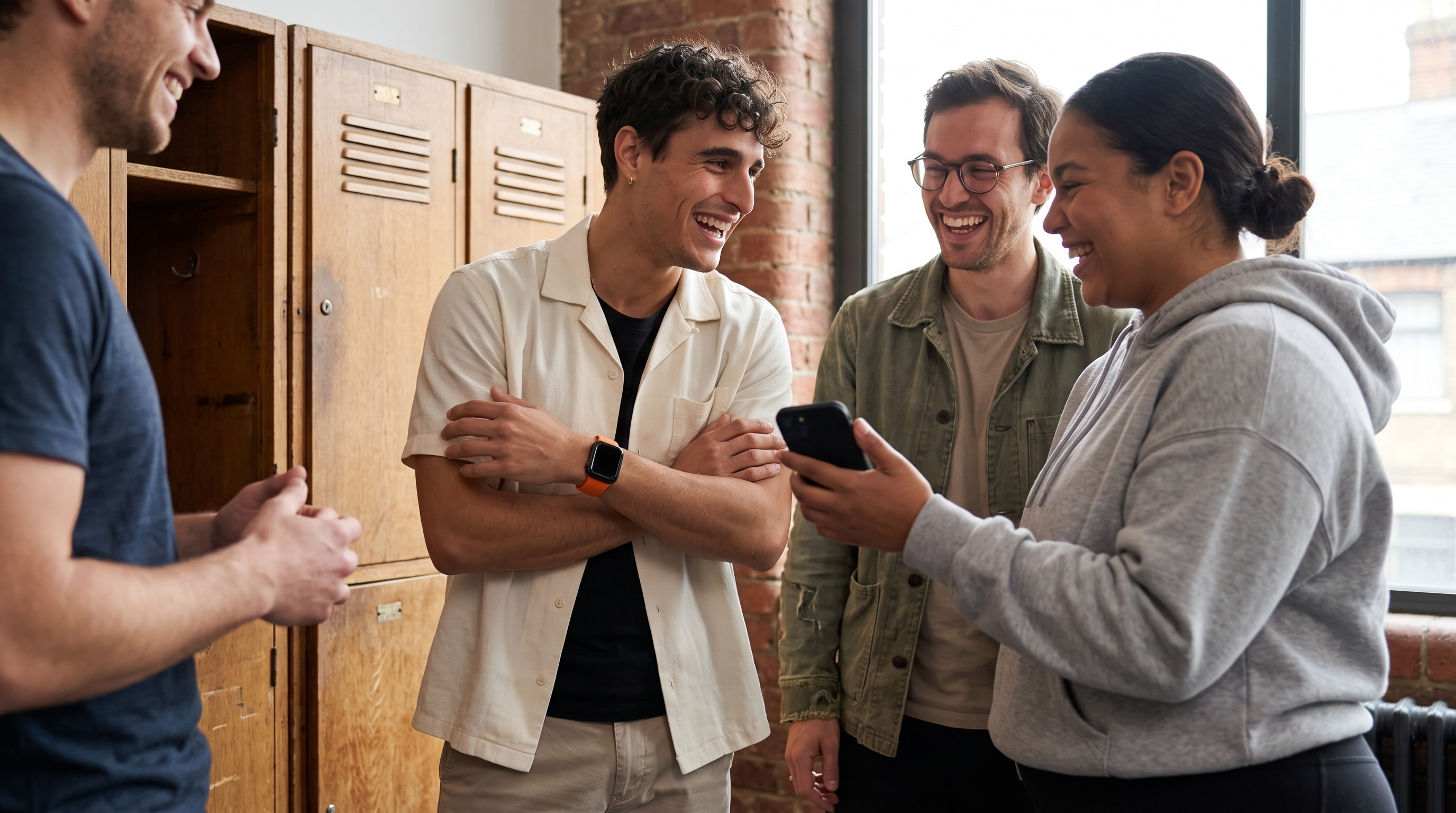
Picture the group chat. One friend has an Apple Watch, another runs on Garmin, a third counts steps on a Fitbit, and someone tracks the whole thing from a phone in their pocket. They all want the same thing: one challenge that feels fair. The trouble starts the moment everyone brings a different app, a different metric, and a different idea of what counts.
A friends fitness challenge app has to handle more than a ranked list. Device coverage, activity type, group size, scoring, privacy, and setup friction all decide whether the challenge survives past the first week. The ten options below suit different groups, and no single one wins for everybody. Treat platform support and pricing as launch requirements, not footnotes, and confirm the current details before you invite anyone.
1. MoveTogether
MoveTogether is built for groups that do not want device ownership to decide the winner. Apple Health, Apple Watch, Fitbit, Garmin, WHOOP, Oura, Strava, Polar, and iPhone-only tracking all feed one live leaderboard, so mixed-device friends share the same board. On iPhone it reads Apple Health and has an Apple Watch app. Android is on Google Play and reads activity through Health Connect.
The scoring model is the part that matters. MoveTogether normalizes Move, Exercise, and Steps server-side rather than treating raw readings from every device as directly comparable. That is the honest fix for a real problem, since wearable measurements vary by device, wear time, and activity. When a group has very different fitness levels, Percentage of Goals scores each person against their own targets, so a beginner and a marathoner can compete without pretending their weeks should look the same.
Competition formats that keep groups active
Hosts can run weekend, weekly, monthly, or custom competitions, with team formats, live rank changes, and gap tracking. Move Leagues add a recurring structure: every Monday you land in a fresh cohort of around 30 people at your tier, with promotion for the top finishers and demotion for the bottom few across a ten-tier ladder. Leagues are included on every account, and shareable invite links solve the usual problem where one person cannot join because the group uses another ecosystem.
The app also includes Activity Rings, friends, and Coach Mo, the AI coach for conversation, motivation, and competition strategy. Mo remembers your goals and patterns between sessions and ships with five personalities: Default, Drill Sergeant, Hype Man, Big Sibling, and Sports Analyst, plus Roast Mode. It is not a structured sets-and-reps workout planner. Pro unlocks the full set of personas, unlimited Coach Mo, the Weekly Mo Report, Past You Ghost, advanced analytics, and badges.
Where it fits, and where it does not
MoveTogether suits a mixed group that wants more than a step counter: families, clubs, workplaces, and data-focused athletes who want several competition formats in one place. Competitions, ring tracking, and Move Leagues come with every account. Pro costs $12.99 per month or $99.99 per year on Apple, and $9.99 per month or $79.99 per year on the web.
The trade-off is clear. The strongest experience is on iOS today, and the deeper tools sit behind Pro. MoveTogether also does not do GPS route mapping, so it will not replace Strava for route discovery. It works best alongside those tools, reading the activity they already collect while adding the social competition layer on top.
2. Stridekick
Stridekick is a practical pick for a group that wants a challenge running quickly without asking everyone to buy the same tracker. It supports iPhone and Android step tracking, phone-only participation, and popular wearables, and its link-based invites help when some people are not comfortable with a complicated setup flow.
It is strongest for step and activity challenges rather than structured training. A family can run a walking competition, a workplace can run a shared activity push, and a friend group can keep a private challenge simple. Stridekick has a free plan for individuals and smaller groups, with an in-app Pro tier for longer or private challenges and higher participant limits, so check the plan boundary before inviting a large group or setting a long event.
The useful trade-off
Stridekick does not try to become a coaching system, a training log, or a long-term league environment. That is a benefit for people who want fewer decisions, and a limit for athletes who want normalized competition across several metrics or deeper personal analytics. Confirm current integrations and plan terms on Stridekick before launch.
3. Challenge Hound
Challenge Hound suits organizers who care more about running a clean event than keeping a lively social feed. It can sync activity from Garmin, Fitbit, Strava, and Under Armour or MapMy, and its mobile app can pull steps from Apple Health and Android Health Connect. That broad coverage reduces setup friction for families, clubs, schools, charities, and community events with mixed devices.
The platform supports step, distance, elevation, and time-based events. Organizers can create challenges for free and can set entry fees, which gives it a real place in fundraising or club activity programs. It behaves more like an event administration tool than a friend-first social network.
Good administration, lighter social energy
The cost is atmosphere. The interface can feel administrative rather than conversational, so friends who want constant reactions, chat, or playful rivalry may need a separate group channel. Strava API limits can also mean some participants need to connect through Apple Health or another supported path, so test connections before the event begins. Challenge Hound is a strong choice when data collection and event control come first.
4. Strava
Strava is a natural fit for runners, cyclists, and multi-sport groups that already record outdoor workouts with GPS. Its social network supports group challenges, club challenges, club leaderboards, route discovery, comments, and activity feeds, so friends who already post runs and rides there will not have to learn a new social language. Its biggest strength is its audience.
Best for routes and workouts, not every movement
Strava is less compelling for a step-focused family or a mixed group where one person walks, another uses a Fitbit, and another tracks only phone activity. Its center of gravity is GPS workouts and endurance activity, and some advanced leaderboard and analysis features require a paid subscription, so separate what the free experience offers from what the group expects.
Privacy deserves attention here too. Friend-based fitness apps can expose more than people realize when routes, routines, and social connections all appear together, so make permission and visibility checks part of setup rather than an afterthought. For groups weighing endurance depth against cross-device fairness, Strava versus MoveTogether lays out the distinction. Strava remains the better fit for routes, clubs, and GPS-led training.
5. Apple Watch Activity sharing
Apple's built-in Activity sharing is the simplest option for an Apple-only friend circle. Friends can share Activity Rings, see progress in the Fitness app, and run points-based seven-day competitions. It feels native because notifications, ring data, awards, and trends all live in the system people already use, and the seven-day format gives a casual challenge a clear finish line.
The ecosystem boundary is the deciding factor
The restriction is just as clear. Friends on Android, Fitbit, Garmin, WHOOP, Oura, Strava, or Polar cannot join the same native competition the same way, and the format is limited next to platforms that support weekend sprints, monthly events, teams, leagues, or different scoring methods. The competition uses a fixed daily points structure that is easy to understand but gives organizers little control over normalization or activity categories.
Our Apple Watch group competition guide can help Apple users decide whether the native option is enough. If everyone already owns an Apple Watch, it may be all the group needs. If even one person sits outside Apple's ecosystem, the conversation changes.
6. Samsung Health Together
Samsung Health Together is designed for Android-leaning circles, especially groups made up of Galaxy users. Friends can be added through QR codes, and the Together area supports step challenges such as reaching a target first or going the farthest. Global and regional events add another way to take part without building a private challenge from scratch, and rankings appear inside a health app people already have.
A good fit for Samsung-first groups
Compatibility gets less predictable outside the Samsung Health ecosystem. Friends on non-Samsung wearables may hit different data paths, and the experience is not designed around a broad mix of Apple Health, Fitbit, Garmin, WHOOP, Oura, Strava, and Polar users. It is a sensible choice for a Galaxy-centered family or friend circle, and a weaker one for a club that wants device-agnostic scoring. Check every participant's source before treating the leaderboard as final.
7. Garmin Connect challenges
Garmin Connect is the obvious choice for friends who already use Garmin devices. It supports step and distance challenges with Garmin Connections, plus group challenges, comments, likes, notifications, and privacy controls. Sync quality is the central advantage, because Garmin activity already arrives in the ecosystem where the challenge lives, and web-based admin tools help someone run a club without doing everything on a phone.
Strong inside Garmin, narrow outside it
The limit is reach. A Garmin-only group gets a focused experience, while a mixed group may find that non-Garmin participants cannot compete on equal terms, which can split the group before the competition starts. Group challenge creation is also web-first for admins, which adds a step for a casual group that wants to start from a chat message. A group that needs normalization across brands should weigh the native Garmin approach against a cross-device platform rather than assuming raw totals translate fairly.
8. Nike Run Club
Nike Run Club is a strong option for running-focused friends who want guided content without a subscription requirement for the basics. It supports custom friend challenges based on distance and a time window, plus monthly and community challenges, achievements, and coach-led audio runs. The coaching content changes the shape of the challenge, since friends can lean on a structured audio run when they need a session idea rather than another graph.
A runner's app with a clear boundary
Nike Run Club is not built for step-only groups. A family that wants everyone to contribute through walking or general movement will find the tools less suitable, because the focus is running. Some content and help pages vary by region, which matters for groups spread across countries. It can also sit beside a broader competition platform: a runner can use the audio coaching and log the activity elsewhere for a mixed-device group.
9. adidas Running
adidas Running, formerly Runtastic, combines run, walk, hike, and cycle tracking with challenges, events, leaderboards, friend invites, and adiClub rewards. It suits brand-loyal runners who like regular campaigns and a gamified experience more than a bare activity log, and its multi-sport support gives it more range than a running-only tracker.
Good campaigns, less flexible group control
Recurring global challenges and reward mechanics give friends a reason to return, which helps groups that enjoy an organized campaign. Some training and challenge features sit behind a Premium subscription, and the social tools are less flexible than Strava's club-oriented system for groups that want a broad community or route discovery. It is a reasonable fit when the group already prefers adidas Running, and not the first pick for a mixed-wearable group that needs normalized scoring.
10. Pacer
Pacer keeps setup simple. It offers friend and team step challenges with live leaderboards, works with phone-based step tracking on iOS and Android, and does not require every participant to own a wearable. Optional virtual adventures and medals add a sense of progress, and Pacer for Teams extends it toward larger groups. That phone-first approach is the main reason to choose it, since a friend without a watch is not automatically excluded.
Best for walking groups
Pacer's narrow focus is also its limit. It is not ideal for cycling, swimming, strength training, or groups that want to compare several kinds of activity, and some adventure and medal options cost extra. A group choosing Pacer should agree that steps are enough. If the group later wants leagues, normalized Move and Exercise comparisons, or an AI coach, a more competition-focused platform will fit better over time.
The ten apps at a glance
| Product | Best for | Devices and fairness | Pricing |
|---|---|---|---|
| MoveTogether | Mixed-device friends, families, clubs, and data-focused athletes | Server-side normalization of Move, Exercise, and Steps across Apple Health, Apple Watch, Fitbit, Garmin, WHOOP, Oura, Strava, Polar, and iPhone-only | Pro $12.99/mo or $99.99/yr on Apple, $9.99/mo or $79.99/yr on web; entry plan on the pricing page |
| Stridekick | Fast cross-device step and activity challenges | Phone plus popular wearables; join by link | Free tier; in-app Pro for larger or private challenges |
| Challenge Hound | Clubs, schools, charities, and organized events | Garmin, Fitbit, Strava, MapMy, plus Apple Health and Health Connect steps | Free to create; organizer entry-fee options |
| Strava | Runners, cyclists, and outdoor athletes | GPS workouts and club leaderboards; endurance-focused | Free basic; subscription for deeper analysis |
| Apple Watch Activity sharing | Apple-only friend groups | Native ring sharing; Apple Watch only | Included with Apple Watch |
| Samsung Health Together | Galaxy and Android-leaning groups | Smoothest inside Samsung Health; narrower outside it | Free with Samsung devices |
| Garmin Connect challenges | Garmin device owners and crews | Tight Garmin sync; limited for non-Garmin friends | Free with Garmin devices |
| Nike Run Club | Runners who want free guided sessions | Running-focused; coach-led audio runs | Free |
| adidas Running | Brand-loyal runners and multi-sport users | Run, walk, hike, and cycle tracking with rewards | Free with Premium features |
| Pacer | Casual walkers, families, and teams | Phone-based step tracking; no wearable required | Free with optional paid adventures and Teams |
Choose the challenge your group will actually use
The right choice depends on the group, not the app with the longest feature list. Choose MoveTogether when friends use different wearables, want normalized scoring, care about live rivalry, and expect to run more than one format. Its competitions, Move Leagues, and supported wearable connections make it the most direct fit for a mixed-device group that wants an ongoing system rather than a one-off step contest.
Choose Apple Watch Activity sharing when everyone already uses an Apple Watch and the seven-day format is enough. Choose Samsung Health Together for a Galaxy-centered Android group, and Garmin Connect when every participant already uses Garmin and the organizer is comfortable with web-based admin.
Running groups have different needs. Strava is the strongest fit for GPS workouts, clubs, routes, and a broad social audience. Nike Run Club works well for runners who want free guided audio sessions, and adidas Running suits groups that enjoy recurring branded events and multi-sport tracking. For phone-based walking, Pacer is the straightforward option, Challenge Hound is better when an organizer needs event administration or entry fees, and Stridekick is useful when quick cross-device setup matters more than competition strategy.
A practical launch process
Before you create an event, settle a few details:
- Confirm device paths. Ask each person whether data will come from Apple Health, a wearable connection, the app's phone tracking, or another supported source.
- Choose one metric. Use steps, exercise minutes, distance, or another clearly defined measure. Do not combine incompatible totals casually.
- Set the time window. Pick a start and end that give everyone a chance to connect and test syncing.
- Agree on visibility. Decide whether the group sees rankings, detailed activity, routes, or only a score. Privacy concerns change when friends can see routines and locations.
- Test before launch. Have each person run a sync check before the first competitive day. Missing permissions and delayed data are easier to fix before rankings matter.
- Review current terms. Check pricing, supported devices, data permissions, and privacy terms before inviting the full group.
Privacy deserves a plain answer. Participants should know what activity, timing, and social information becomes visible after an invitation, and whether their data can be exported, blocked, or removed. A safe challenge does not require everyone to share everything.
Mixed-device groups are the normal case now, not an edge case. A friends fitness challenge app that ignores interoperability will eventually leave someone out. The point is not that every group needs another app. It is that mixed-device friends can share one competition layer while keeping the Apple, Fitbit, Garmin, WHOOP, Oura, Strava, Polar, or phone-based tools that already collect their data. The best app is the one people can join, understand, trust, and keep opening after the first challenge ends.
If you want a simple place to start, MoveTogether brings Apple Health, Fitbit, Garmin, WHOOP, Oura, Strava, Polar, and iPhone-only activity into live, normalized competitions, with Move Leagues and Coach Mo to keep the habit going. Download MoveTogether and start competing, with an optional Pro tier. MoveTogether is available on iOS and Android.
Third-party device, platform, and product names belong to their respective owners and are used here for identification only. Competitor features and pricing change often; confirm current details with each vendor before you commit. MoveTogether is available on iOS, with Android.