
Frequently asked questions
MoveTogether is a fitness competition app for iPhone and Android. It is on the App Store and Google Play. It reads your activity from Apple Health on iPhone or Health Connect on Android, so any watch, ring, or app that syncs there works, and so does your phone on its own. Every scoring mode works the same whatever device recorded the data, so friends on different devices compete fairly. Membership is $2.99/month or $19.99/year in the app and unlocks the full app. Pro adds Coach Mo, advanced analytics, Past You Ghost, and milestone badges.
Getting started
How do I create a MoveTogether account?
Download MoveTogether from the App Store or Google Play and sign in with Apple or Google. Onboarding sets your username and daily goals, asks which tracker you use, and asks permission to read Apple Health (iPhone) or Health Connect (Android). It takes about two minutes.
How do I connect my fitness tracker?
Your tracker doesn’t connect to MoveTogether directly. Turn on sharing in its own app so it writes to Apple Health (iPhone) or Health Connect (Android), for example Garmin Connect to Apple Health. Then give MoveTogether permission to read it. Apple Watch writes to Apple Health on its own. Older direct connections ended on October 9, 2026, so connect through Apple Health or Health Connect instead. Step-by-step guides are at docs.movetogetherfitness.com/getting-started/connect-tracker.
Does MoveTogether work on Android?
Yes. MoveTogether is on the App Store for iPhone and on Google Play for Android. On Android the app reads Health Connect, and on iPhone it reads Apple Health. Scoring runs on our servers from the same data either way, so friends on iPhone and Android compete on one leaderboard.
Get it on Google PlayCan kids use MoveTogether?
MoveTogether is for general audiences and follows the standard App Store and Google Play age ratings. A parent should review the privacy policy before a child signs up. Everyone sets their own Move, Exercise, and Steps goals, so kids and adults can compete on targets that fit them.
Compatibility & wearables
Which wearables does MoveTogether support?
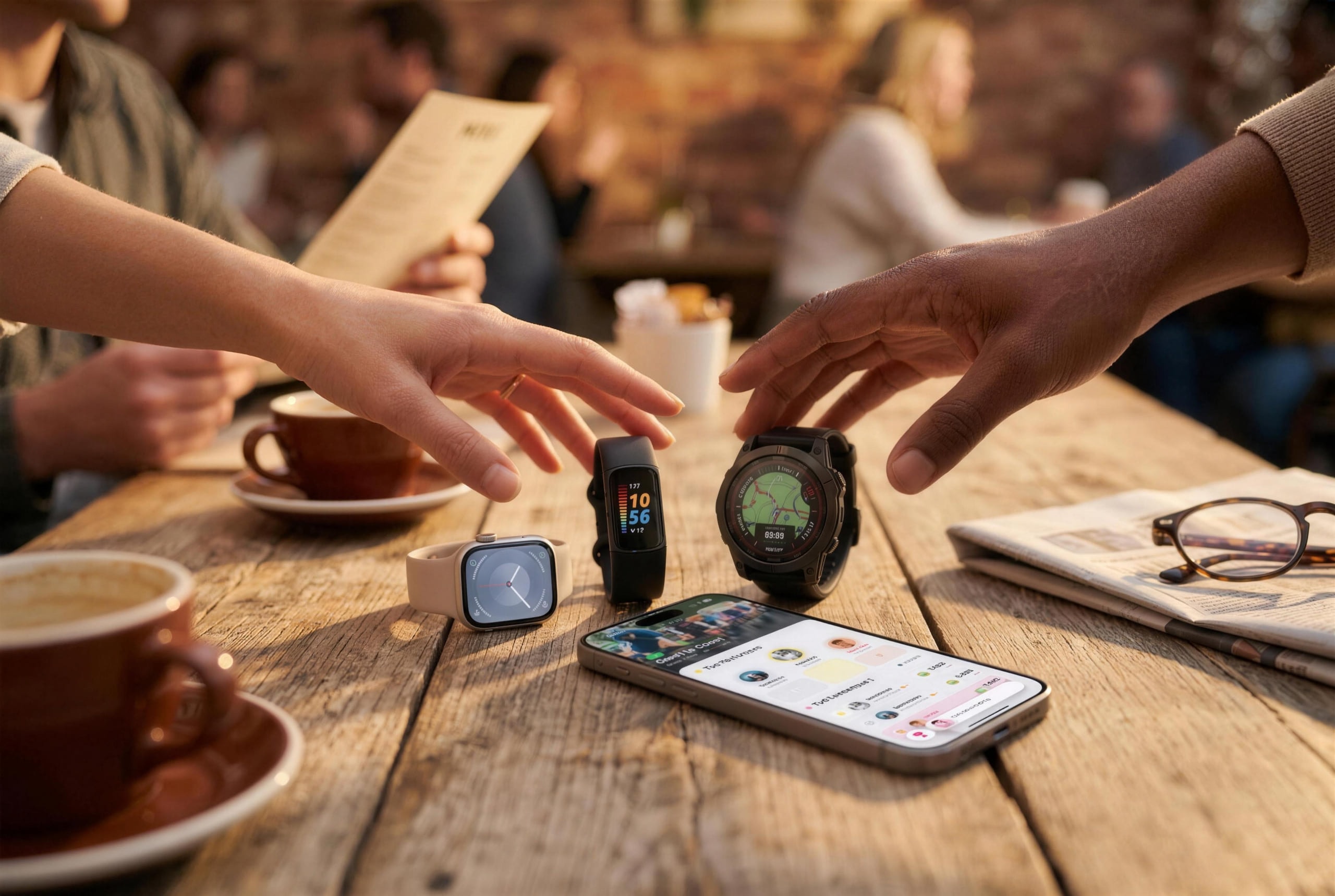
If your watch, ring, or app syncs to Apple Health (iPhone) or Health Connect (Android), it works with MoveTogether. That includes Apple Watch, Garmin, WHOOP, Oura, Polar, Strava, Ultrahuman, and Google Health / Fitbit / Pixel Watch. On Android, Samsung Galaxy Watch works through Samsung Health. Strava brings in workouts, not all-day steps. See /features/wearables for setup guides.
Do I need a wearable to use MoveTogether?
No. Your phone counts steps on its own, and MoveTogether reads them from Apple Health or Health Connect. Workouts from fitness apps that write there count too.
Does MoveTogether work with Apple Watch?
Yes. Apple Watch writes to Apple Health on its own, and MoveTogether reads your Move, Exercise, and Steps from there, usually within a couple of minutes. There is also a native Apple Watch app with complications.
Can I compete with friends on a different wearable?
Yes. That’s what MoveTogether is for. Every device’s data arrives the same way, through Apple Health or Health Connect, as Move calories, Exercise minutes, Steps, and recorded workouts. Scoring runs on our servers from that data, so every competition mode works the same for everyone, whatever they wear.
Can I use multiple wearables at once?
You can wear more than one, but only one counts. During setup MoveTogether asks which one is your tracker, and that device fills your rings. To switch, tap your photo on Home, then the gear, then Data Sources, and tap Change. Your totals can read lower than your health app, which adds up every device. If you switch during a competition, check your activity afterward, since a new source can backfill differently.
How often does my data sync?
MoveTogether picks up new activity a few minutes after your tracker’s app writes it to Apple Health or Health Connect. How often that happens depends on the tracker’s app, so open it to push a sync. Then pull down to refresh in MoveTogether, or on iPhone tap + and choose Sync activity.
How competitions work
Why don’t my walks count toward my Exercise ring?
Exercise minutes are for deliberate training, because they feed competition scoring. Any workout you record counts, and so do walks of at least 15 minutes at a real walking pace. Movement your watch or ring picks up on its own, like moving around the house or a short stroll between errands, still counts toward Steps but not Exercise. If a walk is missing, start it as a workout in your wearable’s app next time so it records your pace and distance.
How does scoring work across different devices?
Every device’s data arrives the same way, through Apple Health or Health Connect, as Move calories, Exercise minutes, Steps, and recorded workouts. Scoring runs on our servers from that data, not on your phone, so the math is identical for everyone and nobody can edit their way up the board. Most modes score Move, Exercise, and Steps, and Workout Count and Distance score recorded workouts, so every mode is fair across devices. See /features/competitions#scoring for details.
Which scoring method is fairest for a mixed-device group?
All of them. Every device’s data arrives the same way, so no mode favors one brand. Pick the one that suits your group. Ring Close Count, Percentage of Goals, and Personal Goal score each person against their own goals. Total Activity and Head to Head compare totals. Workout Count counts workout days, Stick To It counts the days you hit one daily goal, and Distance totals recorded runs, or runs and walks.
Why doesn’t MoveTogether score heart rate, HRV, or VO2 Max?
Because they aren’t comparable across brands. Each brand estimates them with its own sensors and models, so a leaderboard built on them would rank hardware, not effort. VO2 Max also barely moves week to week. Move, Exercise, and Steps reflect what you actually did this week.
What scoring methods are available?
Eight: Ring Close Count (points for every ring you close), Percentage of Goals (points for the percent of your own daily goals you hit), Total Activity (calories, exercise minutes, and steps combined), Workout Count (workout sessions), Personal Goal (each person picks a target inside the host’s range and scores 100 on a day they hit it), Stick To It (a point for every day you hit one daily goal), Distance (a point per meter of recorded runs, or runs and walks), and Head to Head (one number, highest total wins: steps, calories, exercise minutes, or sleep). All eight are fair across devices. See /features/competitions#scoring for the full breakdown.
| Method | What it scores |
|---|---|
| Ring Close Count | Points for every activity ring you close |
| Percentage of Goals | Percent of your personal daily goals you hit |
| Total Activity | Calories, exercise minutes, and steps combined |
| Workout Count | Workout sessions |
| Personal Goal | Your own target, inside a range the host sets |
| Stick To It | Days you hit one daily goal |
| Distance | Meters from recorded runs, or runs and walks |
| Head to Head | One total: steps, calories, exercise minutes, or sleep |
What competition formats are available?
Weekend (Saturday to Sunday), Weekly (Monday to Sunday), Monthly, or a Custom date range. Competitions can repeat automatically, starting a fresh cycle when the last one ends. Team mode supports 2, 3, or 4 teams.
| Format | Window |
|---|---|
| Weekend | Saturday to Sunday |
| Weekly | Monday to Sunday |
| Monthly | Preset monthly duration |
| Custom | Any date range |
How long do competitions last?
Anywhere from a weekend to a month, or any custom range. Most groups run weekly or weekend competitions. Monthly suits habit-building groups and 30-day challenges.
Can I create a team competition?
Yes. When you create a competition, choose team mode and pick 2, 3, or 4 teams. Each team’s combined score sets the ranking. Participants pick their team when they join.
Can I leave a competition I’ve joined?
Yes. Open the competition, tap the more options menu, and choose Leave Competition. This can’t be undone: you leave the leaderboard and your score for that competition is reset. Everyone else carries on.
How does the leaderboard update?
In real time while a competition is active. When new activity reaches MoveTogether, your score recalculates on our servers and the leaderboard updates for everyone watching, without a refresh.
Coach Mo & AI
What is Coach Mo?
Coach Mo is the AI coach built into MoveTogether. Mo helps with motivation, competition strategy, workout ideas, and goals in a chat. Mo remembers your goals and patterns, has five personalities, and uses your activity data for context. On iPhone, tap + and choose Ask Coach Mo.
What are the 5 coaching personalities?
Default (casual and direct), Drill Sergeant (tough love, no excuses), Hype Man (pure energy), Big Sibling (warm, gentle accountability), and Sports Analyst (data-driven and strategic). You can pick any of them during onboarding. After that, Default is free and switching personas in Settings needs Pro. Your persona shapes every message, including notifications and weekly reports.
| Persona | Style |
|---|---|
| Default | Casual and direct; the default voice |
| Drill Sergeant | Tough love and no excuses |
| Hype Man | Pure energy; every win is a celebration |
| Big Sibling | Warm and caring, gentle accountability |
| Sports Analyst | Data-driven and strategic |
How does Coach Mo’s memory work?
Coach Mo keeps a long-term memory called Files: your goals, preferences, and key details from past chats, saved as documents in searchable folders. You can view, edit, organize, or delete anything in it. Mo uses it in every reply so you don’t have to repeat yourself.
What is Roast mode?
Roast mode swaps the pep talk for a sarcastic kick in the pants, based on your real activity and standings. It never targets your body, weight, health conditions, or anything you can’t change. Turn it on or off in Coach Mo settings.
Does Coach Mo see my friends’ activity?
Only the competition data you share: who you’re up against, where you stand, and the gap. Mo doesn’t see your friends’ private feed posts, direct messages, or anything outside your shared competitions.
Is Coach Mo just ChatGPT with a wrapper?
No. Every Coach Mo reply draws on your live activity, your goal history, and what your competitors are doing. Mo also remembers across sessions (Files), has five personalities, and has a Roast mode that uses your data to push you.
Move Leagues
What is Move Leagues?
A weekly competition. Every Monday at 00:00 UTC you join a fresh group of about 30 people at your tier. Top finishers move up, the bottom 5 move down, and everyone else stays. There are ten tiers, from Walker to Legend. Included with Membership. See /features/leagues for the full breakdown.
- 1Walker
- 2Jogger
- 3Runner
- 4Strider
- 5Athlete
- 6Sprinter
- 7Champion
- 8Elite
- 9Master
- 10Legend
How are league cohorts formed?
Automatically. Each Monday MoveTogether places you in a new group of up to 30 people at your tier, filled in the order people join that week. You usually won’t be with your friends; use the Friends leaderboard for that.
How does league scoring work?
Your week’s Move calories, plus your week’s Exercise minutes, plus your week’s steps divided by 100 and rounded. The Friends and Global leaderboards use the same formula. It doesn’t depend on your goals, so setting easier goals can’t move you up.
Move caloriesExercise minutesROUND(week steps / 100)
What is demotion protection?
Everyone has one demotion protection at a time. If you finish in the bottom 5 with one banked, it’s used automatically and you keep your tier. It refills over time, so one rough week doesn’t undo weeks of climbing.
What happens at Legend (the top tier)?
Legend is tier 10, the top. Top finishers stay in Legend and keep the badge. The bottom 5 of a Legend group still drop to Master, so staying there takes steady effort.
Do leagues cost extra?
No. Move Leagues is included with Membership, including the ten tiers, the weekly reset, demotion protection, and league notifications.
Pricing & subscriptions
Is MoveTogether free?
MoveTogether is free to download. New accounts need a Membership: $2.99/month or $19.99/year in the app. It unlocks the full app: unlimited competitions, leaderboards, daily challenges, friends, the activity feed, direct messages, group chat, Communities, Move Leagues, and seasonal event badges. Pro adds Coach Mo, advanced analytics, Past You Ghost, and streak, achievement, and competition badges. If you already use MoveTogether, you keep your current plan and aren’t charged for Membership. See the pricing page for the full comparison.
| Feature | Member | Pro |
|---|---|---|
| Active competitions | Unlimited | Unlimited |
| Friends, feed & chat | Included | Included |
| Communities & Move Leagues | Included | Included |
| Seasonal & event badges | Included | Included |
| Streak, achievement & competition badges | Not included | Unlocked |
| Coach Mo | Not included | Unlimited |
| Advanced analytics & Past You Ghost | Not included | Unlocked |
Why is Pro cheaper on web than in the app?
Apple and Google Play take up to 30% of in-app subscriptions. Pro is the same product on web, iPhone, and Android, but on web we skip that fee and pass the savings on: monthly Pro is $12.99 in the app or $9.99 on web, and annual is $99.99 or $79.99. Subscribe on web and Pro works in the app too.
| Plan | Apple / Google Play | Web |
|---|---|---|
| Monthly | $12.99 | $9.99 |
| Annual | $99.99 | $79.99 |
Will my subscription work on my phone if I subscribe on web?
Yes. Subscriptions sync across web, iPhone, and Android once you sign in with the same account. There is nothing else to set up.
Is there a free trial?
Yes. Annual Membership starts with a 3-day free trial in the app, and annual Pro has a one-week free trial for first-time subscribers on the App Store and web. Monthly plans are billed right away. A trial becomes a paid subscription unless you cancel before it ends. Cancelling the Membership trial ends it right away.
How do I cancel my subscription?
App Store: in MoveTogether, tap your photo on Home, then the gear, then your plan at the top of Settings, then Manage Subscription. Google Play: open the Play Store, then Payments & subscriptions, then Subscriptions. Web: use the account portal at portal.movetogetherfitness.com. Cancel at least 24 hours before renewal to avoid the next charge. Pro stays active until the end of your billing period, and your data is kept when your account returns to Membership.
Are payments refundable?
Subscription payments are non-refundable under our Terms and Conditions. If you cancel Pro, it stays active until the end of your billing cycle, then your account returns to Membership. For App Store purchases, Apple’s own refund process is the last resort; we can’t process App Store refunds.
Streaks, Shields & achievements
How do streaks work?
Your streak counts consecutive qualifying weeks, not days. A week qualifies when you have at least three qualifying days, each with 30+ exercise minutes or a workout. Miss a week and the streak resets to zero, unless a Streak Freeze covers the gap.
What are Shields?
Shields are Streak Freezes (shown in the app as freezes). If you miss a day that would have counted toward your week, a banked freeze applies automatically so the week can still qualify. You earn one for every seven consecutive qualifying weeks, up to three at a time.
How do I earn Shields?
Automatically, as your streak grows: one Streak Freeze for every seven consecutive qualifying weeks, banked up to three. Consistency is the only way to earn them.
How many Shields can I have?
Up to three Streak Freezes at once. One is used only when it saves a missed qualifying day; otherwise they stay banked for travel or rest weeks.
Privacy & data
What data does MoveTogether collect?
When you create an account: your name, email, username, and profile photo. Fitness metrics like steps, calories, exercise minutes, and workouts, read from Apple Health or Health Connect. Competition scores and rankings. Product analytics, diagnostics, and masked session replay through PostHog, tied to a persistent account UUID as described in the privacy policy. We don’t collect health data the app doesn’t need, or anything the privacy policy doesn’t cover.
Who can see my activity?
People in a competition with you see your stats for it on the leaderboard, and friends see your activity in the feed, both subject to your privacy settings. No one else can see your activity. Your raw fitness data is never shown to other users.
Does MoveTogether sell my data?
No. We never sell your personal information or share your raw health data with third parties. We make money from subscriptions, not data. Coach Mo uses your data only to coach you, not to train models for anyone else.
Can I delete my account and all my data?
Yes. Tap your photo on Home, then the gear, then Delete account at the bottom of Settings (it’s also in Privacy Settings). Confirm when asked. Deletion is permanent: your data, competition history, badges, friends, and Coach Mo memory are removed. If you want a copy of your data first, contact support.
Troubleshooting
Why isn’t my fitness data syncing?
Check these in order. Open your tracker’s app and make sure it has synced and is sharing to Apple Health (iPhone) or Health Connect (Android). Make sure MoveTogether still has permission to read that data, in the Health app on iPhone or in Health Connect on Android. Then pull down to refresh, or close and reopen MoveTogether, and check you’re online and on the latest version.
How long should syncing take?
Usually a few minutes after your tracker’s app syncs to Apple Health or Health Connect. If it’s taking longer, open the tracker’s app to force a sync, then refresh MoveTogether.
My third-party tracker data isn't showing up. What now?
Open your tracker’s app (Garmin Connect, WHOOP, Oura, and so on) and sync it. Then check the data shows in Apple Health or Health Connect. If it’s there but not in MoveTogether, make sure that device is the one MoveTogether counts: tap your photo on Home, then the gear, then Data Sources. Still stuck? Contact support with your username, device model, and when it started.
How do I contact support?
Use the support chat in the app: Marco answers and hands you to a person when needed. You can also reach us on the social accounts listed on the About page. For bugs, include your username, device model, and a screenshot.
Pros and Cons
What MoveTogether does well and where the tradeoffs are, so you can decide if it fits how you move with friends.
Pros
- Works with your device: any watch, ring, or app that syncs to Apple Health (iPhone) or Health Connect (Android), or just your phone. Friends on different devices share one leaderboard, and every scoring mode is fair across them.
- AI coaching with Coach Mo: motivation, competition strategy, and goal guidance that can use your real activity data when personalization is on, not generic chatbot tips.
Cons
- Reliance on technology: competitions, streaks, and leaderboards depend on your phone, your tracker’s sync, and your connection. Sync delays or permission issues can briefly affect what shows on the board.
- Data privacy: MoveTogether collects account details and fitness metrics to run competitions and Coach Mo. Review the privacy policy and in-app privacy settings to see what is shared, who can see your activity, and how to delete your data.
Didn’t find your question?
The fastest path is the in-app support chat: Marco routes your question to a human when it needs one. You can also find more detail on any feature in our product docs.