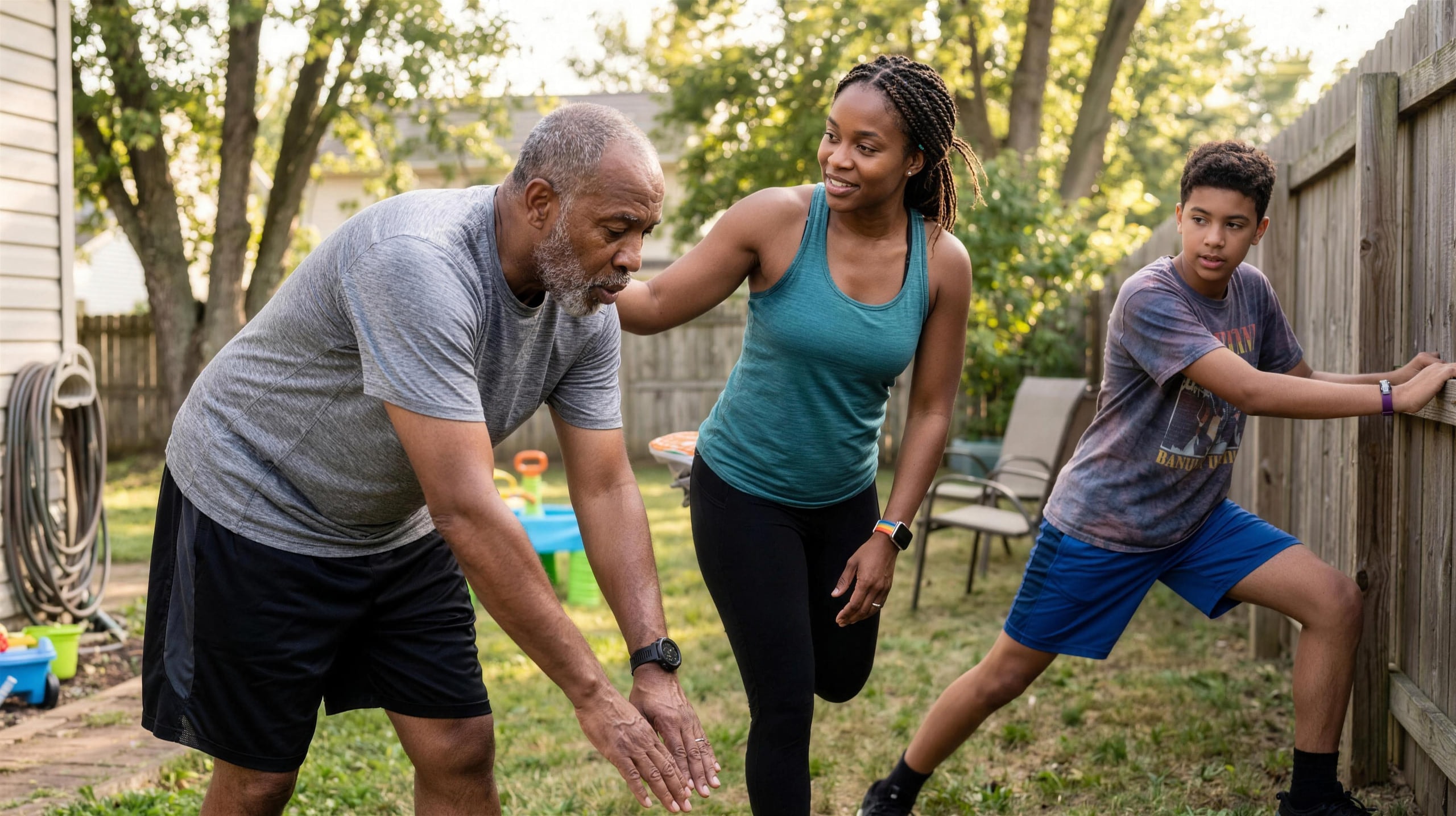
You've probably seen the pattern. Someone in the family suggests a fitness challenge. Everyone likes the idea. A group chat starts. A few people are into it for about two days.
Then the questions begin.
Does an Apple Watch count the same as a Garmin? What about Fitbit? What about the person with no wearable at all? Are steps enough? Is the marathon runner going to crush everyone by day three? Is a grandparent supposed to compete on the same scale as the teenager who plays a sport every afternoon?
That's where most family fitness challenge plans die. The family usually has plenty of motivation. What it's missing is a set of rules built for a real family, where the ages, schedules, and devices are all over the place.
Why most family fitness challenges fail
A family fitness challenge usually falls apart for two boring reasons. The scoring feels unfair, and then the motivation drops.
The first problem shows up fast. One person closes Activity Rings. Another tracks runs on Garmin. Another logs recovery on WHOOP. Someone else only has an iPhone in their pocket half the day. Dump all of that into one leaderboard without thinking it through, and people stop trusting the game. A game nobody trusts is already over.
The common week-one collapse
It's almost always some version of this:
- Someone feels punished for using the “wrong” device.
- Someone fitter than everyone else runs away with it.
- Someone without a wearable feels like a guest, not a participant.
- Nobody agreed on what actually counts before it started.
That last one matters more than people think. Families often spend more time picking a fun name than deciding what the leaderboard measures.
Start with the rules, not the app
A good family fitness challenge has one clear purpose. A daily walking habit. Weekend workout consistency. A ring-closing streak. Step accumulation. Try to reward everything at once and nobody knows what matters.
Pick one outcome, not five
The best challenge goals are narrow enough that everyone can repeat them without debate.
- Build a daily movement habit. Best for families with mixed ages and fitness levels.
- Reward consistency over intensity. Useful when some people are very active and others are restarting.
- Center it on workouts. Better for gym-going families who care less about passive steps.
Clear goals beat ambitious ones. You can make the second challenge smarter once everyone trusts the first.
Choose the scoring method that fits the family
This is the decision that shapes everything else. MoveTogether competitions run on a few different scoring methods, and the right one depends on how similar the people competing actually are.
| Scoring method | How it works | Best for |
|---|---|---|
| Ring Close Count | Points each time someone closes an Activity Ring | Apple Watch families who care about daily consistency |
| Percentage of Goals | Compares people by how well they hit their own targets | Families with very different fitness levels or devices |
| Raw Numbers | Sums total activity volume directly | Groups with comparable fitness who want absolute totals |
| Head to Head on steps | Counts walking volume in the simplest possible way | Mixed ages, beginners, low-friction walking challenges |
For most families, Percentage of Goals is the least frustrating option, because it compares each person to their own daily targets instead of to the fittest person in the family. We wrote a deeper breakdown of that trade-off in Percentage of Goals vs Apple's Move ring.
A quick way to decide
- If your family mostly wants to walk more, choose Head to Head on steps.
- If one person is much fitter than the rest, choose Percentage of Goals.
- If everyone lives in the Apple ecosystem, Ring Close Count is clean and familiar.
- If your family is competitive and comfortable with unequal baselines, Raw Numbers works.
Keep the first round simple on purpose. One metric, one timeframe, one definition of winning. You can add side bets and bonus points in round two, once everyone trusts the board.
Make it fair across every device
This is the part most family-challenge advice skips. It says “invite everyone” and moves on, as if all fitness data means the same thing. It doesn't. An Apple Watch Move value is not the same as a Garmin activity metric. WHOOP measures effort differently. Oura has its own logic. Even step totals vary with how people wear devices and carry phones.
The biggest trust problem in a mixed-device challenge is invisible math. If people don't understand why the leaderboard looks the way it does, they assume it's biased. Once they feel the scoring favors one device, they stop caring about the result. We went deep on this in how to compete with friends who have different wearables.
What fair scoring actually looks like
- It accepts different data sources. Apple Health, Google Health/Fitbit, Garmin, WHOOP, Strava, Polar, Oura, Ultrahuman, and phone-only activity all have a path in.
- It compares like with like. Steps, movement, and exercise get translated into a common framework instead of being dumped together raw.
- It includes the non-wearable person. If a parent or sibling only has an iPhone, they still need a real way to play. A family challenge shouldn't quietly turn into a wearable-owner club.
No system is magic. If one person logs every workout carefully and another forgets to wear a device half the day, the data still differs. So be blunt about the ground rules before launch. Decide whether you care most about steps, workouts, or goal completion. Confirm how phone-only tracking counts. Tell everyone which metric appears on the board, and don't change the scoring model halfway through. Families can live with imperfect data. What they won't tolerate is hidden logic.
Launch the challenge and onboard everyone
A smooth start matters more than a clever format. If setup feels annoying, people tell themselves they'll join later, and they won't. The cleanest launches use one invite and one short explanation: “Join here, connect your device, we start Monday.”
- Create the competition first. Set the scoring method, timeframe, and participants before anyone joins.
- Send one invite link. Don't coach each person in a separate thread unless you have to.
- Have each person connect their data source. On iPhone that is Apple Health; on Android, Health Connect. Fitbit, Garmin, WHOOP, Oura, Strava, and Polar users first turn on sharing in their own app.
- Check that everyone appears on the leaderboard before day one.
- Do a short test day. One low-stakes day catches syncing confusion before the real challenge begins.
A few things are worth saying up front to save yourself a pile of “this isn't working” messages. iPhone users can still join without a wearable. Different devices connect in different ways, and that's normal. Strava and other platforms can act as data sources for the family member who already trains elsewhere. And the honest one: MoveTogether is available on iOS and Android.
Picking the right week helps too. Don't launch during travel, exams, or a holiday everyone's already busy with. The challenge should fit family life, not compete with it. If you're still choosing a tool, our roundup of the best group fitness challenge apps is a good starting point.
Keep everyone motivated for the long haul
A leaderboard is useful, but it's not enough on its own. Head-to-head rivalry works well at first, because people like watching names move. It just has a shelf life, especially when one person keeps winning. The challenges that last add a second game: progress you can feel even when you're not in first place.
Reward consistency, not just winning
The fastest way to demotivate a family is to let one high performer own the whole story. A live leaderboard keeps things interesting without demanding heroic workouts, and Streaks & Shields give people something to protect on the unglamorous days. Close at least one ring a day and your streak ticks up. If life gets in the way, a Shield you've earned (at 7, 14, 30, 60, 100, 200, and 365-day milestones) deploys automatically and holds the streak instead of resetting you to zero. That cushion matters most in families with mixed schedules. The parent with a full workday, the teen with practice, and the grandparent focused on steady movement all need room to keep showing up.
Give people a way to compete with themselves
Not everyone wants to be measured against the family's fittest person all month. That's what Past You Ghost is for. Instead of only chasing a sibling or spouse, you race your own best completed week. It quietly changes the tone from “I'm losing” to “I'm improving.” A family challenge lasts longer when each person has two games running at once: one against the group, one against themselves.
Use coaching for momentum, not micromanagement
Coach Mo is most useful here for encouragement, perspective, and the occasional well-timed nudge, rather than a strict sets-and-reps plan that most families don't need. Some people want supportive cheering. Others respond better to Roast Mode, which roasts your effort (never your body) using your actual numbers. Style matters less than fit. Motivation gets personal fast, and letting each person pick their tone is what keeps them in the game.
Expect a flat middle stretch where nothing feels new. Every challenge has one. The families that push through it tend to do a few things: they celebrate more than first place, they keep the rules stable, and they keep small progress visible. That middle stretch is where habits either form or quietly disappear.
Wrap up well, then build a rhythm
A family fitness challenge shouldn't end in silence. Share the results and recognize more than the winner. A recap like the Weekly Mo Report makes the week's trends easy to see at a glance.
- Most Consistent for the person who kept moving all week.
- Most Improved for the person who found momentum late.
- Quiet Grinder for the one who never topped the chart but never disappeared.
Recognizing effort, not just output, changes how people remember the challenge. It also makes them far more willing to do another round.
If your family liked the structure, don't wait too long to start again. Some families repeat a simple weekly or monthly challenge. Others lean on Move Leagues, which drop you into a fresh cohort of up to 30 people every Monday, with promotion, demotion, and a one-time Demotion Protection safety net for the inevitable bad week. The useful idea is just that progression should stay visible and easy to understand. A quick safety check helps too: keep activities age-appropriate, and let kids and grandparents take part differently if they need to.
If you want a simple way to run a mixed-device family challenge without spending half your time explaining fairness rules, MoveTogether is built for exactly that. It puts Apple Health, Fitbit, Garmin, WHOOP, Oura, Strava, Polar, and iPhone-only users on one live leaderboard, with Move Leagues and Coach Mo to keep the habit going. Download MoveTogether and start competing, with an optional Pro tier. MoveTogether is available on iOS and Android.
Third-party device and platform names belong to their respective owners. MoveTogether is available on iOS and Android.