
Activity analytics
Your rings, over time.
Today tells you how today went. Pro lines up the days behind it, so a strong month or a quiet one is easy to spot.
Activity analytics is the Pro half of the Activity screen in MoveTogether. Below your day, it charts Move and Steps, plus Exercise on iPhone, over a week, a month, six months or a year, with sleep, weight and BMI beside them. Your rings for each day stay free on every plan.
What the charts show
Pick a range above the charts, from a week to a year.
- A week or a month is one bar per day. Six months is one bar per week, and a year one bar per month.
- On iPhone, a dashed line marks each goal, bars that reach it are solid, and each chart counts your goal days.
- Tap a bar on iPhone to see that day’s number.
- Sleep, with deep, REM, light and awake when your watch or ring records them.
- Weight from your weigh-ins, and BMI once you add your height.
What is free, what is Pro
Every plan
Today’s rings and how close you came, the week strip, and any past day you tap on.
Pro
The trend charts under your day: rings, sleep, sleep stages, weight and BMI over time. On the free plan and Member, a lock sits there instead.
Want the raw numbers?
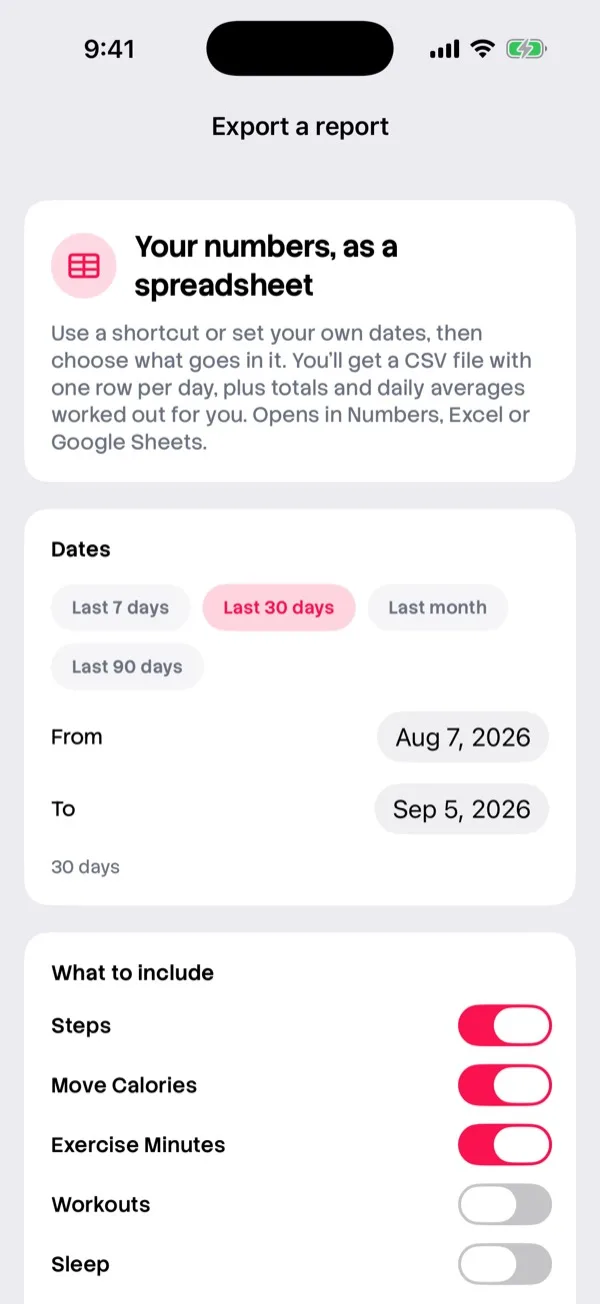
Export a report from Settings. Pick your dates, up to a year, choose what goes in, and get a CSV with one row per day plus totals and daily averages. It opens in Numbers, Excel or Google Sheets.
Free on every plan.
Questions
Where does the data come from?
Apple Health on iPhone and Health Connect on Android. A watch or ring that writes to them shows up here. Sleep only counts from a wearable.
Does Member include the charts?
No. Activity trends are part of Pro. Member and the free plan keep the daily view and the report export.
Is it the same on Android?
Android has the same week, month, six month and year views, with Move, Steps, sleep, weight and BMI. The Exercise chart is on iPhone.
See your month
Download MoveTogether, connect Apple Health or Health Connect, and go Pro to open the charts.