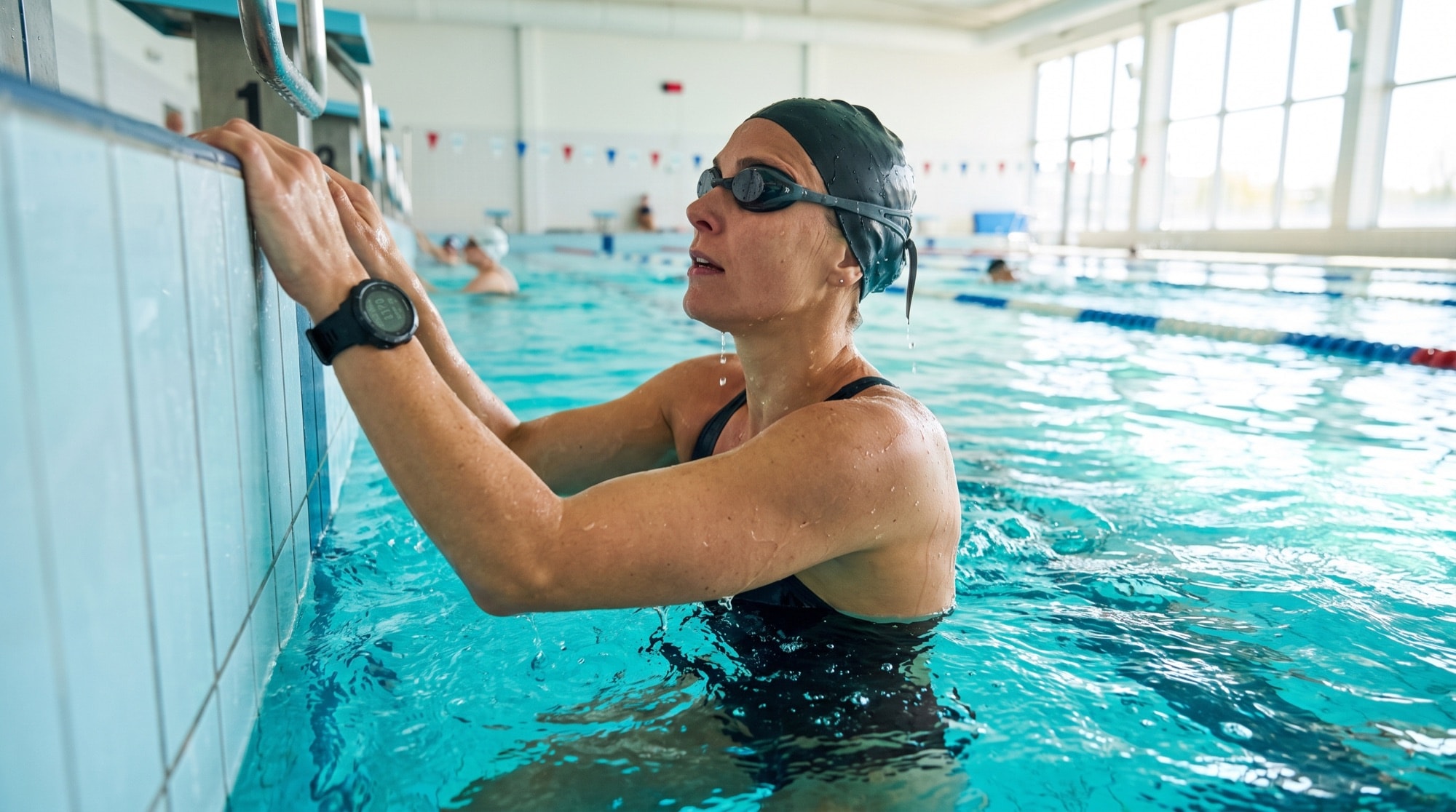
You finish a hard swim set, tap stop on your watch, and check the graph. It says your heart rate barely moved. Maybe it shows a flat line. Maybe it claims you were cruising at an easy pace through the hardest part of the workout.
That usually means the device failed, not your body.
Swimming breaks a lot of the assumptions built into consumer fitness tech. The sensor placement is awkward. The signal path is messy. A device that works fine on a run can turn unreliable the moment you push off the wall. And even when the hardware gets the data right, the software side can still turn it into a headache if you want that swim to count fairly alongside friends on different devices.
The swimmer's problem with heart rate data
Most swimmers don't start by shopping for a dedicated heart rate monitor. They start with the watch they already own. It tracks steps, sleep, workouts, and heart rate on land, so expecting it to work in the pool seems reasonable.
Then the weird data starts.
A hard interval set comes back with a suspiciously low heart rate. Rest periods read higher than work sets. The graph drops out in the middle of the swim. Some people assume the strap is too loose or the watch is old. Sometimes that's true. Often it isn't. Swimming is just a rough environment for wrist-based heart rate tracking.
What makes swim data so frustrating
The problem isn't only accuracy. It's trust. When a runner gets a messy wrist reading for a few seconds, they usually still have a usable workout file. A swimmer can lose the whole point of monitoring effort. If you're trying to stay in an aerobic zone, manage pacing, or compare one session to another, bad heart rate data isn't a minor glitch. It changes how you read the workout. And bad swim data often looks believable enough to fool you, which is what makes it so annoying.
There's a second problem that hardware reviews tend to skip. Even if you buy a better sensor, you still need the data to land in the right app, sync cleanly, and play nicely with everything else you track. For mixed-device groups, that's where things usually fall apart.
The full problem is bigger than the sensor
A useful setup has to do three things well:
- Capture the signal. The monitor has to read your heart rate accurately in water.
- Store or display it properly. Real-time feedback and post-swim review are not the same job.
- Export it somewhere usable. If the workout ends up trapped in one ecosystem, it gets harder to compare fairly with anyone else.
A lot of swimmers solve only the first part. The better approach is to think about the whole path from skin to app to leaderboard.
Why your watch struggles in the water
On land, most watches use an optical heart rate sensor. The green lights on the back shine into your skin, and the sensor reads changes in reflected light as blood pulses under the surface. That can work reasonably well when the watch sits still and sealed against your wrist.
Water breaks the seal
Swimming makes that optical setup unstable in a few ways. Water gets between the sensor and your skin. Your arm rotates and accelerates through every stroke. Push-offs and turns shift the watch slightly. Even small movement matters, because optical sensors need clean, consistent contact. Once the contact changes, the watch starts guessing from a noisy signal. Picture reading through a fogged-up window while someone keeps nudging the frame. The information is still there, but the sensor can't get a clean enough view.
The wrist is the wrong place for this job
The wrist is already a compromise for heart rate tracking. In the pool, that compromise gets worse. It's an area with a lot of motion, changing pressure, and a less stable surface than places like the chest or the temple. That helps explain why JAMA research summarized by YourSwimLog found that wrist-based wearables, including Apple Watch and Fitbit Charge, failed to produce reliable heart rate readings during moderate exercise, with none of the tested wrist devices matching chest-strap accuracy.
If you use an Apple Watch in the pool, it's still useful for timing, distance, laps, and broad workout logging. We just wouldn't treat it as a precision heart rate tool for swim sets. If you're already in that ecosystem, our Apple Watch wearables page shows how that data fits into the wider device picture. The practical rule: if you care about exact zones in the water, don't assume a wrist sensor is enough just because the watch is water-rated.
What this means in practice
Water resistance and heart rate accuracy are two different promises. Water resistance tells you the device can survive the pool. It doesn't tell you the heart rate data will stay clean once you start swimming hard.
Your three real options for swim heart rate monitors
Once you stop expecting the wrist to do everything, the choices get clearer. There are really three workable paths. None is perfect. Each solves a different problem.
Chest straps
Chest straps are still the reference option for swimmers who care most about accuracy. They read the heart's electrical signal rather than inferring pulse from reflected light at the wrist, which makes them far less vulnerable to the motion and water issues that throw off watches. They aren't glamorous. Some swimmers hate the feel. Some have to experiment with placement under a swimsuit or tri suit to keep the strap from shifting. But if your top priority is trustworthy data for training zones, a chest strap is usually the first thing to consider.
- Best for accuracy. ECG-style chest monitoring is the standard swimmers still compare everything else against.
- Less comfortable for some people. The sensation is personal. Some forget it's there. Others never do.
- Often better after the workout than during it. Many straps record internally and sync later instead of showing live heart rate underwater.
Temple or goggle-based optical sensors
This is the category that has improved the most. Instead of putting an optical sensor on the wrist, these systems move it to a spot that behaves better in the water. The standout example is FORM's goggle-based approach. According to FORM's swim heart rate tracking page, the Smart Swim 2 goggles reached 97% accuracy compared with a medical-grade ECG chest strap. That matters because it shows a non-chest solution can get very close while also giving live feedback in the swim itself. A temple sensor has one real edge over a wrist sensor here: the head stays steadier than the wrist during freestyle.
The downside is obvious too. You have to want smart goggles. If you already love your current pair, this can feel like buying into a more opinionated setup.
Swim-rated watches with onboard wrist HR
This is the compromise route. It may be enough for casual tracking, and it may not be enough for structured zone work. A modern swim watch is still worth using if you mainly care about laps, duration, and a rough record of effort, and it fits neatly into your broader setup if you run, bike, and lift with the same device. We just wouldn't choose this category as the primary heart rate monitor for swimming when precision is the goal.
Swim heart rate monitor types compared
| Monitor type | Accuracy | Comfort | Real-time data? |
|---|---|---|---|
| Chest strap | Highest for most swimmers | Mixed. Some like it, some do not | Usually post-swim sync or limited live feedback |
| Temple or goggle-based optical sensor | Strong, especially with dedicated swim designs | Good if you like the goggle setup | Yes, in the right system |
| Wrist-based swim watch | Most variable in water | Easiest if you already wear a watch | Sometimes visible live, but not always trustworthy |
Costs vary widely by brand and model, so we've left price out of the grid. Treat accuracy, comfort, and live feedback as the real trade-offs.
Which one usually makes sense
- Choose a chest strap if accuracy matters most and you're fine reviewing data after the swim.
- Choose a temple or goggle sensor if you want both strong accuracy and live heart rate during sets.
- Choose a watch alone if convenience matters more than precision.
That's the honest trade-off. Comfort, convenience, and precision rarely peak in the same device.
The data dilemma: real-time versus post-swim sync
A lot of swimmers get tripped up. They buy a more accurate monitor, then wonder why the watch on their wrist still doesn't show heart rate during the set. The answer is mostly physics.
Water is bad for wireless signals
Bluetooth and ANT+ don't travel well through water. A chest strap can be reading your heart rate correctly the whole time, but the signal often won't make it from your chest to your watch while you're submerged. That's why many swim-capable monitors rely on onboard memory instead of constant live transmission. They record the session internally, then sync it back to the watch or app after the swim. User reports in the Apple Support Community describe this exact issue, with people noting intermittent Bluetooth signals underwater that push them toward devices that store the workout and download it later.
Two very different use cases
Product pages tend to blur these together, but they aren't the same. Post-swim review works well if your main goal is analysis after the workout. You finish the session, save it, and inspect average effort, intervals, and trends in your app of choice. Chest straps are often excellent here, and that setup is enough for many swimmers.
Real-time pacing in the pool is different. If you want to adjust effort during the set, a device that stores data for later doesn't fully solve the problem. You need live feedback you can see while swimming. That's why goggle-based displays are such a notable shift: the display is already on your face, so there's no signal to push through the water to your wrist. If you need to know your heart rate during the third rep, post-swim sync doesn't help.
What to ask before buying
- Does it record accurately underwater? Some devices survive the pool but don't capture usable data.
- Can I see the data live, or only later? This is the big fork in the road.
- Where does the session sync after the swim? Native platform support still matters.
- Will my current watch or app accept that file cleanly? Compatibility problems usually show up after purchase, not before.
A good heart rate monitor for swimming isn't just a sensor. It's a data workflow. The more structured your training is, the more that distinction matters.
How to wear and use your monitor correctly
Good hardware still needs good setup. A lot of swim heart rate problems come from wear position, loose fit, or the wrong expectations about zones.
Fit matters more than people think
Chest straps need stable skin contact. In the pool, that usually means wearing the strap snug enough that push-offs and turns don't shift it. If you're swimming open water in a wetsuit, the strap goes under the suit against your skin, which often helps keep it secure. Optical sensors worn away from the wrist tend to behave better, but they still need firm placement. If you use a Polar-style optical sensor, the Polar wearables page is a useful reference for how that ecosystem fits into broader tracking.
- For chest straps. Keep the band snug and low enough to stay put through turns.
- For goggle-mounted sensors. Make sure the sensor sits flush and doesn't wobble as you breathe.
- For any optical sensor. Avoid loose placement. Movement is the enemy.
Fix your swim heart rate zones
This is the part many swimmers miss. Your heart rate in the water is usually lower than it is on land at the same perceived effort, because of the horizontal body position. Total Immersion recommends subtracting 10 to 15 beats per zone to account for that change. If you don't adjust, you end up chasing run or bike numbers that don't belong in the pool. So a swim zone that looks too low next to your running numbers may actually be correct.
A simple way to use that in training
Don't overcomplicate the first few sessions. Start with one question: does the data match how the set felt? If your easy aerobic work looks impossibly low, or your threshold set never climbs where it should, check fit first. Then check whether you're using land-based zones in the pool. A lot of confusion comes from those two issues, not from the device itself.
Getting your swim data into a fair competition
Once the swim is recorded correctly, another problem shows up. The data lives in different places. Some swimmers finish in Apple Health. Others land in Garmin, Polar, Fitbit, Strava, WHOOP, or Oura. That fragmentation is annoying if all you want is your own training log. It's worse if you're trying to compare activity with other people on different devices.
The software side matters as much as the hardware side
A strong heart rate monitor for swimming solves only the first half of the job. The second half is getting that workout into a system that can compare it fairly across device brands. On that front, MoveTogether's FAQ explains that activity is normalized across every supported device into a unified score, so an Apple Watch user, a Google Fitbit user, and others can compete on the same leaderboard. That matters because the modern fitness group is mixed by default. One friend uses Apple Health, another uses Garmin, someone else logs with Polar or goes iPhone-only. If the competition system can't unify those inputs, the best swim data in the world still ends up siloed.
What fair competition needs
- Broad device support. Different ecosystems have to feed into the same place.
- Published scoring logic. People should understand how comparisons work.
- Multiple formats. Some groups want steps, others want workouts, others want goal-based competition.
- Simple onboarding. If setup is annoying, the group dies before the challenge starts.
For mixed-device groups, that's why it's worth understanding both the hardware choice and the destination platform. If you want a broader look at device ecosystems, this fitness tracker comparison is a helpful starting point.
We built MoveTogether around that exact problem. The app reads from Apple Health, Google Fitbit, Garmin, WHOOP, Oura, Strava, and Polar, plus iPhone-only users through Apple Health. From there, people compete through competitions or Move Leagues using scoring methods like Workout Based, Percentage of Goals, Ring Close Count, Raw Numbers, and Head to Head on steps. If someone wants extra motivation without a rigid workout plan, Coach Mo helps with strategy, accountability, and the messy reality of staying consistent.
The point isn't that every swimmer needs the same device. They don't. The point is that once your workout is captured cleanly, it should still count fairly. If you want to see the supported ecosystem, the wearables page, app comparisons, glossary, and pricing fill in the practical details. MoveTogether is available on iOS and Android.
If you're trying to make your swim data genuinely useful, not just technically recorded, MoveTogether helps close the loop. You can bring in workouts from Apple Health, Fitbit, Garmin, WHOOP, Oura, Strava, or Polar, compete with friends across devices, and use formats like Workout Based or Percentage of Goals without arguing about whose watch counts more. Pro is the optional upgrade, at $12.99/mo or $99.99/yr on Apple, and $9.99/mo or $79.99/yr on web. If you want a fitness app that handles mixed-device reality, that's what we built.
Third-party device and platform names belong to their respective owners. MoveTogether is available on iOS and Android.